Skip to page content

Cash Register System Integration with Accounting Software

Connect the Čekis PAYKIT cash register system with Site.pro accounting software and reduce duplicate data entry. Sales data is automatically transferred from the cash register system to the accounting software, while new products and price updates are transferred from the accounting software to the rash register system.

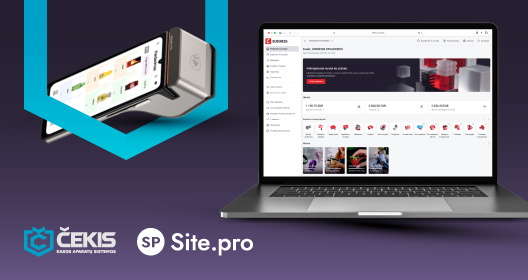
Čekis cash register system shown on payment card terminal and Site.pro accounting platform displayed on a laptop screen, illustrating system integration.
Čekis PAYKIT cash register system and Site.pro accounting software logos in a dark background.

Integration Between the Čekis Cash Register System and Site.pro Accounting Software

Spend more time selling and less time entering data. Connect the Čekis PAYKIT cash register system with Site.pro accounting software. Sales data is automatically transferred to the accounting software, while products and prices can be managed in Site.pro without having to make the same changes in the cash register system.

  • Sales Receipts Are Automatically Transferred to the Accounting Software. Sold product quantities, prices, and VAT rates are transferred together with each receipt, eliminating the need to re-enter sales data.
  • Easily Create an Invoice from a Receipt. Select the required receipt in Site.pro accounting software and create an invoice using the existing sales data.
  • Invoices Issued in the POS System Are Automatically Transferred. Invoices issued in the PAYKIT cash register system are automatically transferred to Site.pro accounting software.
  • Products and Prices Are Managed in One Place. Products added and prices updated in Site.pro are transferred to PAYKIT, eliminating duplicate work.
  • Inventory Levels Are Synchronized. Inventory synchronization between Site.pro and PAYKIT helps businesses monitor stock levels and plan replenishment more effectively.

Integration Between the Čekis Cash Register System and Site.pro Accounting Software

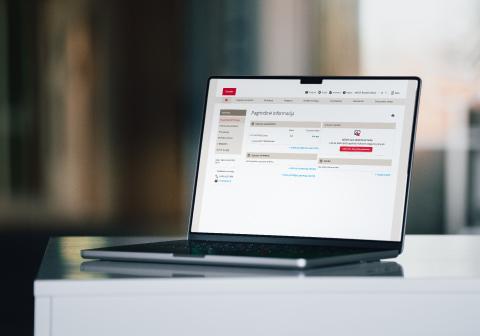
A laptop with Citadele online banking open, showing payment or account information on the screen.

Integration with a business account

Bank statement import allows you to quickly upload data into the accounting software and monitor customer debts and cash balances. Data is sent daily directly from Citadele Bank to the Site.pro “Statement Import” module.

Site.pro offers:

  • Free automatic Citadele Bank statements for clients (worth 216 EUR per year).
  • A 200 EUR bonus added to your Site.pro accounting program balance.
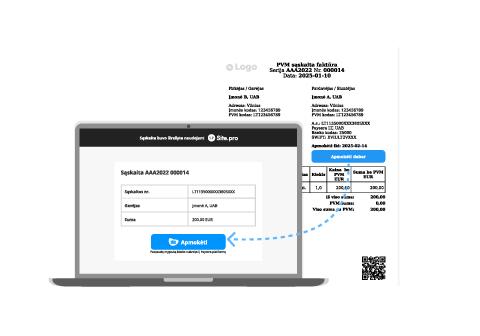
A laptop placed next to a printed invoice, illustrating the process of electronic invoice payments.

Invoice payments with PIS (Payment Initiation Service)

This is a modern and efficient way to receive payments faster and with lower costs. By activating the “Pay Now” button on your invoices, you can make payments quickly, conveniently, and securely using the Payment Initiation Service (PIS). With just one click, you’ll be redirected to the payment page, where you can select your bank and complete the payment in seconds.

Faster and easier payments directly from the invoice:

  • Special fixed PIS fee — 0.06 EUR per transaction.
  • Ability to receive payments from all major banks in the Baltic countries.