Payment cards

Payment card blocking

Blocking Payment Cards
If you have lost your payment card, noticed unauthorized transactions, or your card got stuck in an ATM, block it immediately using one of the following methods:

  • Block the card using the Citadele mobile app:
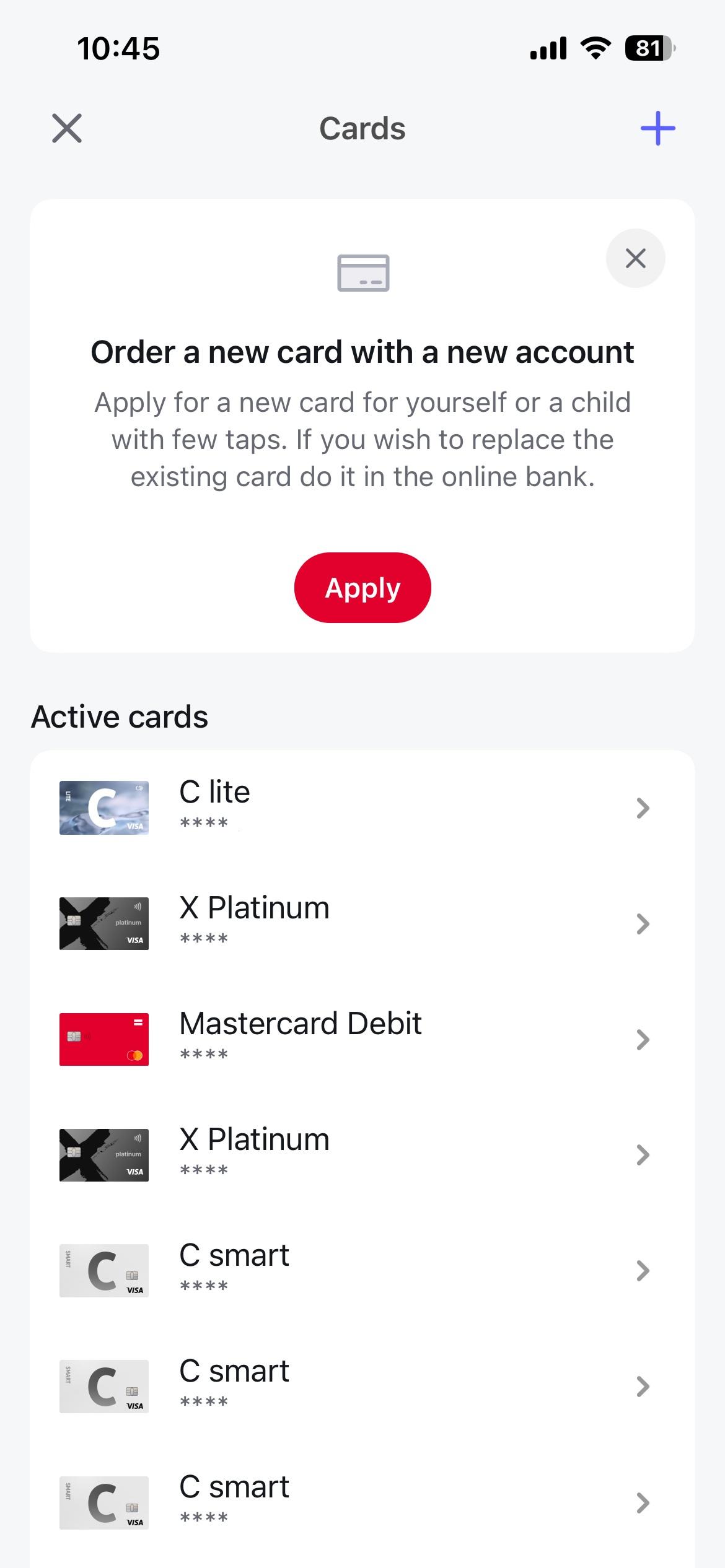
    • Log in to the Citadele mobile app and select the “Cards” section.
    • From the list, choose the card you want to block.
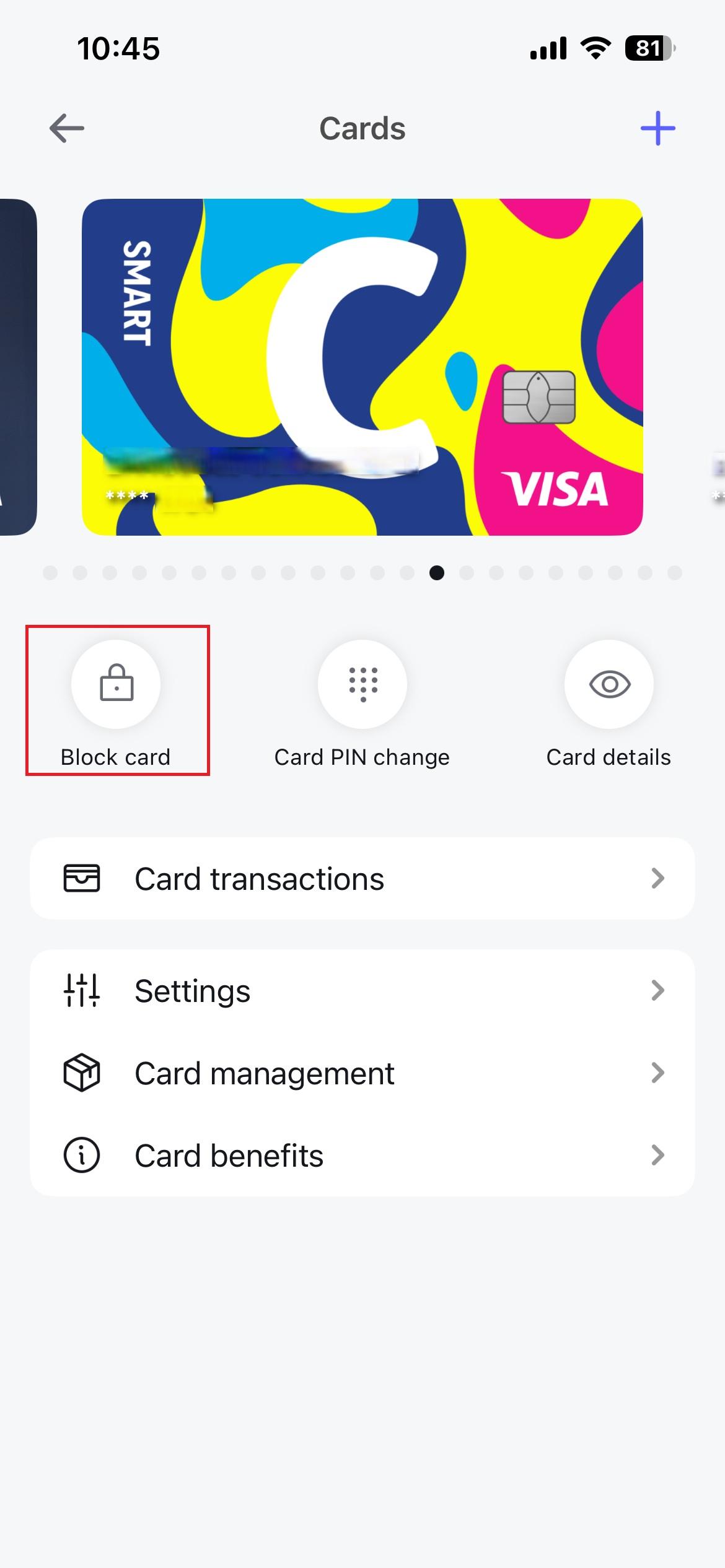
    • In the window that opens, tap “Block card”.
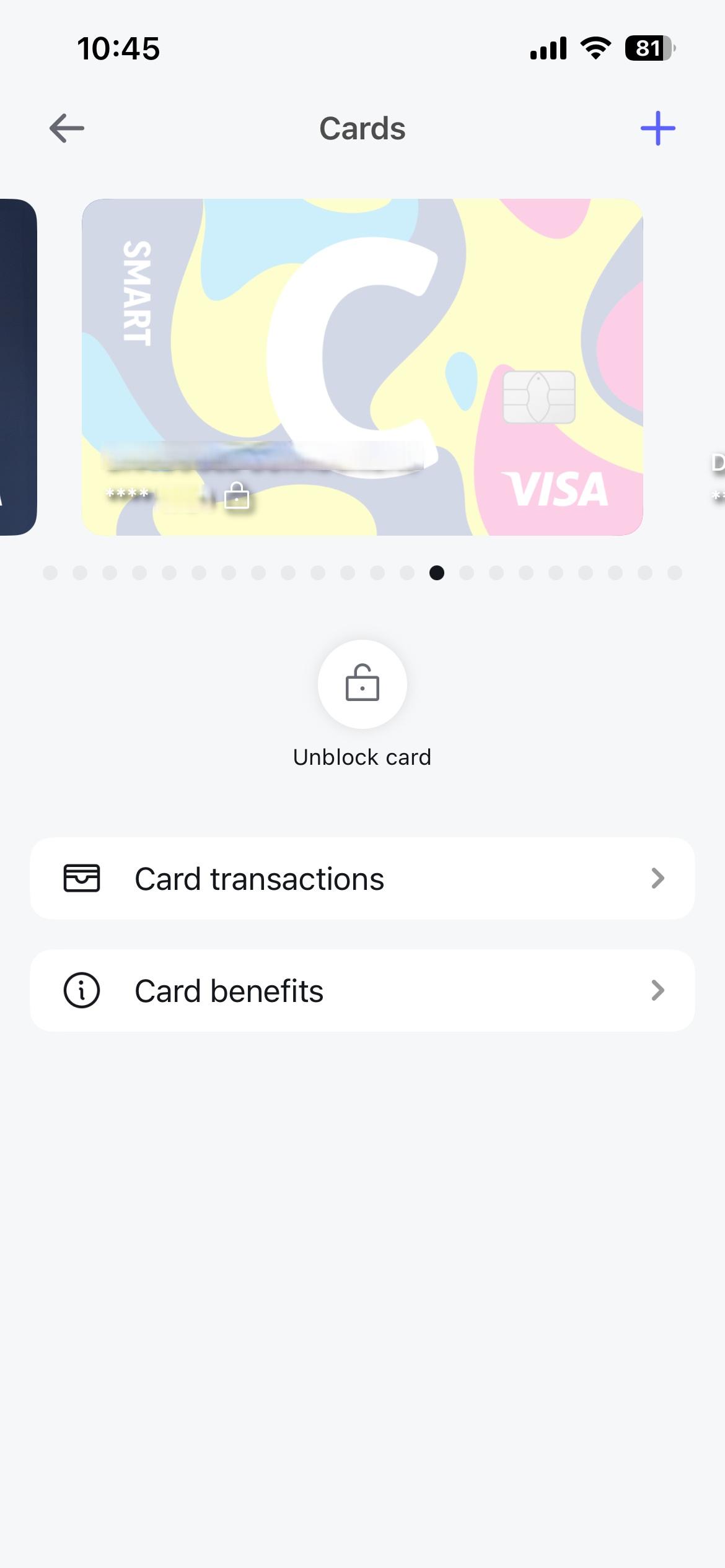
    • When the payment card is blocked, you will see the following screen:
  • Block the card using Citadele online banking:
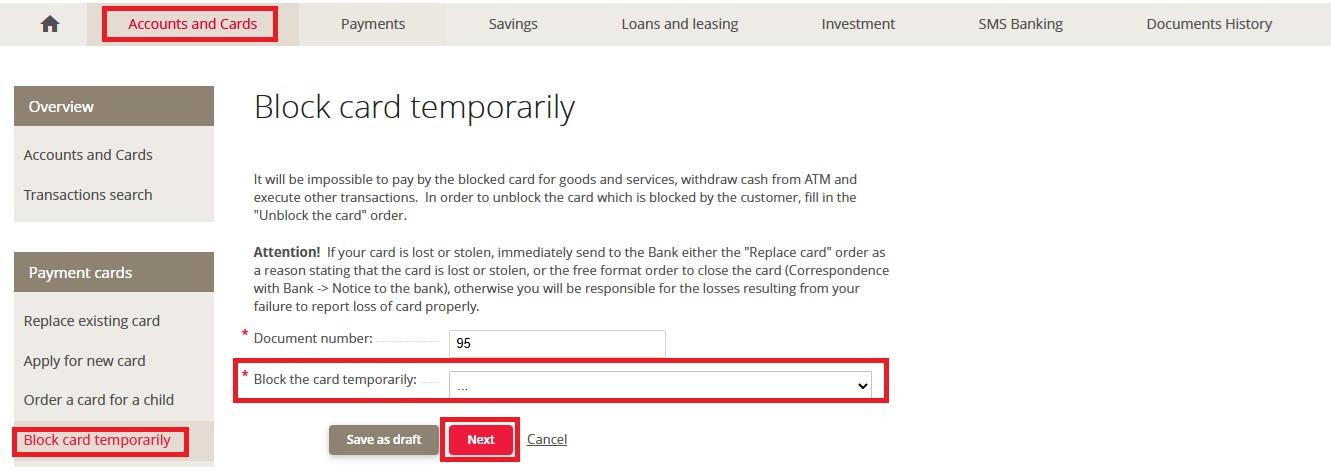
    • Log in to Citadele online banking and select “Accounts and Cards” > “Block card temporarily.” Then choose the card you want to block from the list and click “Next.”
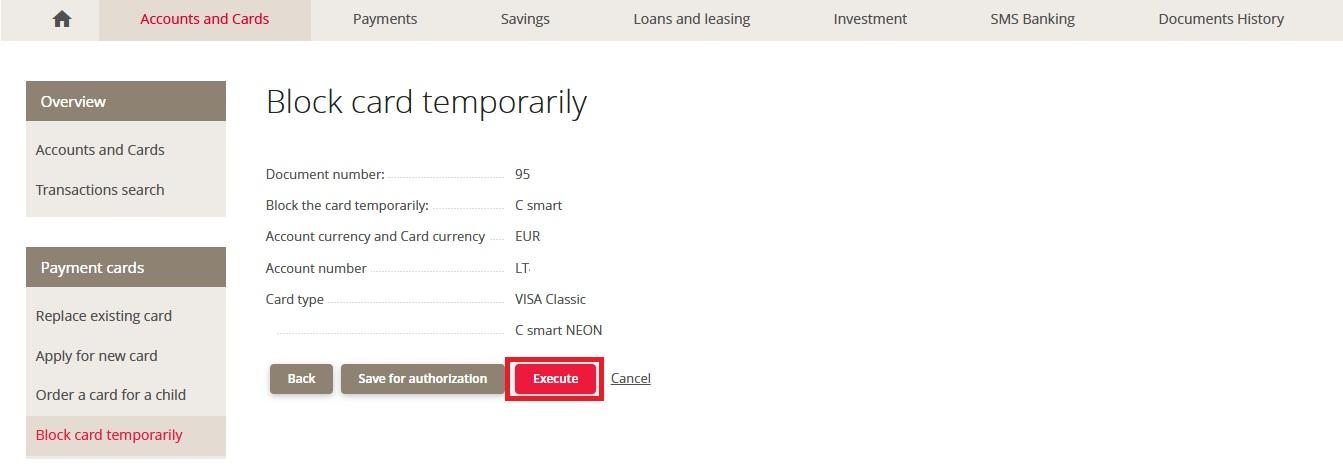
    • Make sure the selected payment card is correct and click “Execute.” Confirm this action using your chosen identification method.
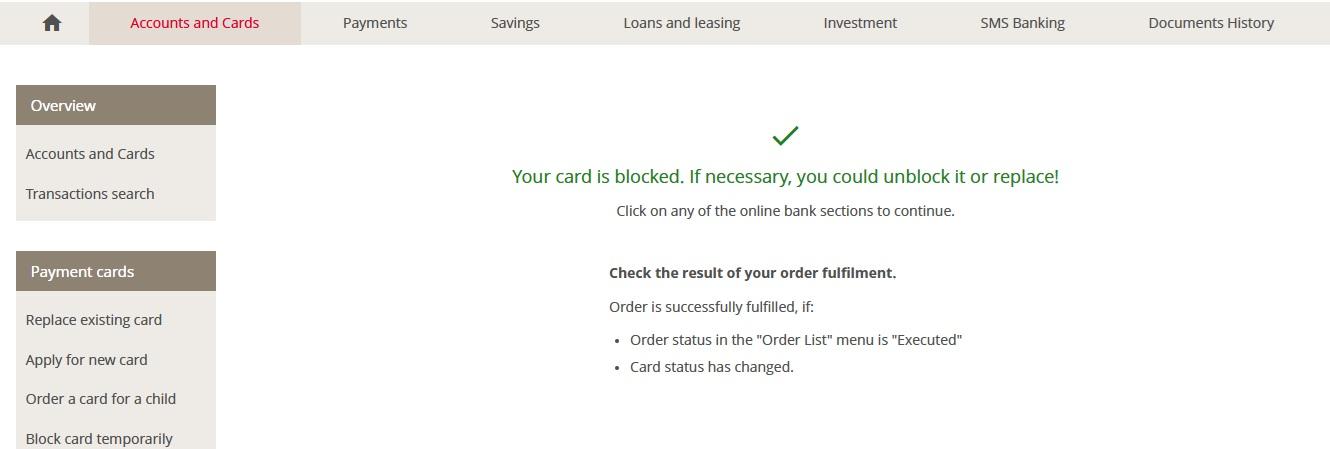
    • The online banking system will automatically process the confirmed action and block your payment card.
    • When the payment card is blocked, you will see the following screen:
  • You can also call +370 5 221 9091.

A new payment card can be ordered by logging in to Citadele Online Banking and selecting “Replace existing card”, or by calling +370 5 221 9091, or by visiting bank branch.

Are you satisfied with the answer?